
04 IMPROVING IMAGE UPLOAD WORKFLOW FOR MARKETERS
Summary
The marketing and product images on Amazon.com and its mobile app come from an internal tool where users upload their visuals. These images have size and dimension rules depending on where they’re placed. Because of this, users often rely on third-party tools to compress images. This creates extra work, especially for marketers who upload hundreds of images during big events like Prime Day, Mother’s Day, and others. A review of sample images compressed using these tools shows a significant drop in visual quality, leading to a poor customer experience on Amazon.
Therefore, the internal tool needed the ability for users to upload images and automatically optimize them, while maintaining their visual quality and meeting size requirements. It also needed options to override the standard compression settings. I was brought in to design a simple and straightforward user experience that included all these options.
Impact
Post-launch, image uploads were monitored continuously week-over-week to track the number of files uploaded and the resulting image quality.
- Upload volume increased consistently, peaking at 78,295 images in week 4. Throughout this increase, the default compression quality remained steady at approximately 85%.
- The percentage of PNG uploads increased to 34% (up from 25%), while JPGs declined to 63% (down from 72%). This indicated that marketers were shifting away from uploading pre-compressed JPGs and began trusting the system with higher-fidelity source files.
What did not go as planned
Current workflow
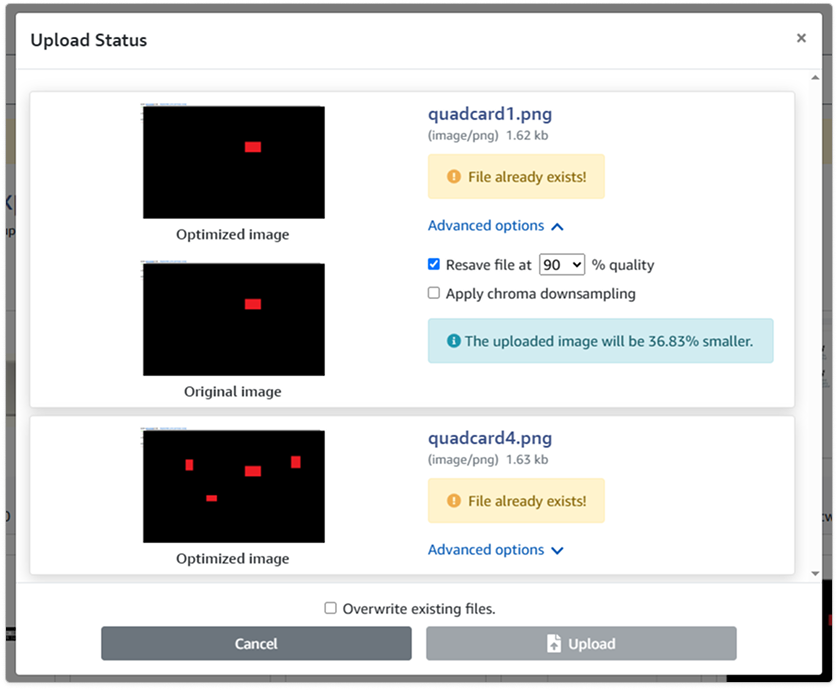
Process
I first needed to understand users’ workflows and expectations. I designed preliminary mockups and presented them to eight marketers to gather their feedback. This exercise helped me discover user needs I hadn’t accounted for, such as confirmation for the number of files successfully uploaded.
I also had to ensure my proposed designs were achievable by the engineering team. Therefore, I brought the product and engineering teams together to align on the designs.
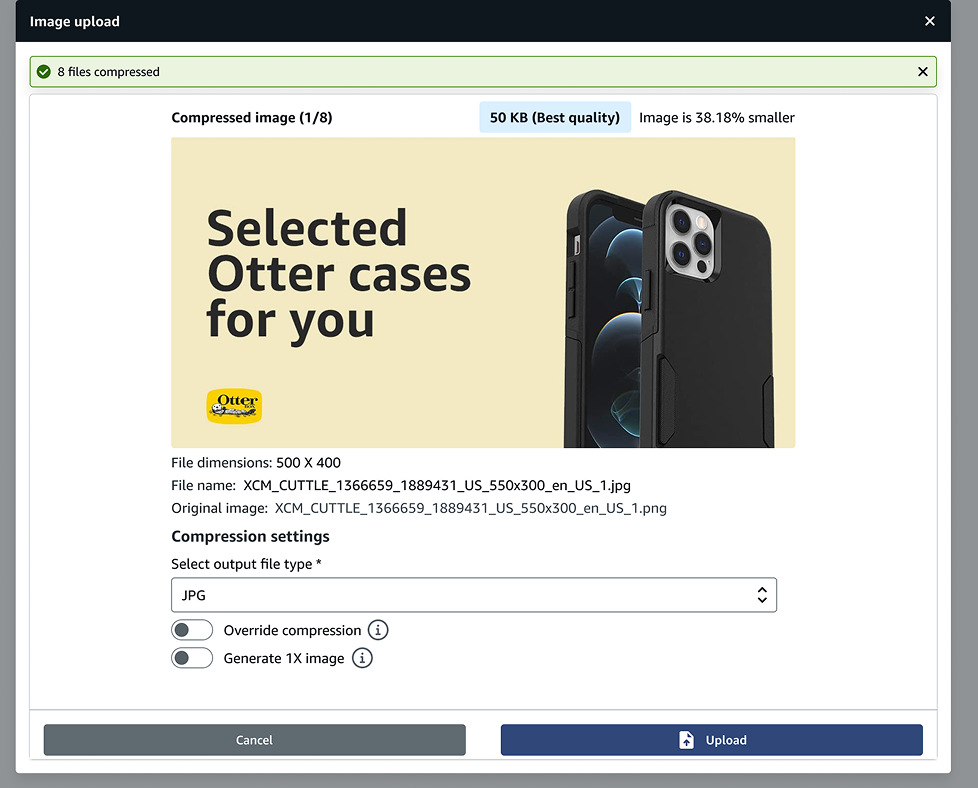
The challenge
One of the main user requests was to simplify the bulk image upload process, which was their biggest problem. The team made sure all images were compressed during upload. The main challenge came when there were many images, and each needed its own compression settings. This led to a long page that required scrolling and caused a lot of debate within the team. Though I looked at other options, I chose a list format. This let users review each image separately, which offered more focus and reduced errors. I also worked with the tech team to apply compression as soon as users made their selections.
The result
After nine months of continuous work, the tool with image optimization features launched in mid-November 2025. A large number of images were uploaded, achieving an ’excellent’ image quality score, which significantly surpassed the ‘good’ score typically achieved with third-party tools.
Users reacted positively to the new features, describing them as “life-changing.” A major highlight was the ability to compress images in bulk, which streamlined their process, especially during high-volume events.